
Firmware Files for Device Updates
Overview
To ensure the best performance and full compatibility with third-party equipment, we recommend always using the latest version of Xilica Designer and keeping your devices updated.
All required firmware files are included directly within Xilica Designer, no separate downloads needed.
How to Access the Device Firmware Manager
Follow these steps to download the latest firmware package:
Open Xilica Designer.
Start Network View.
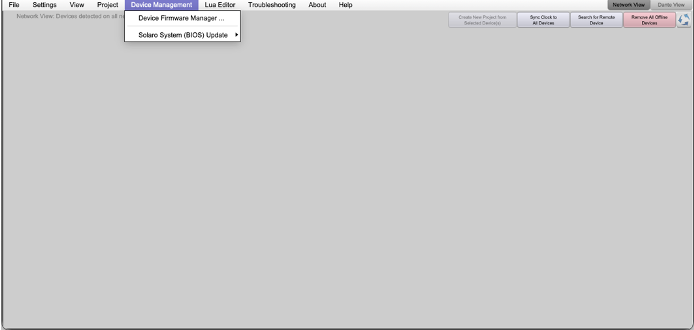
In the top-left corner, open Device Management and select Device Firmware Manager.
Download the Firmware
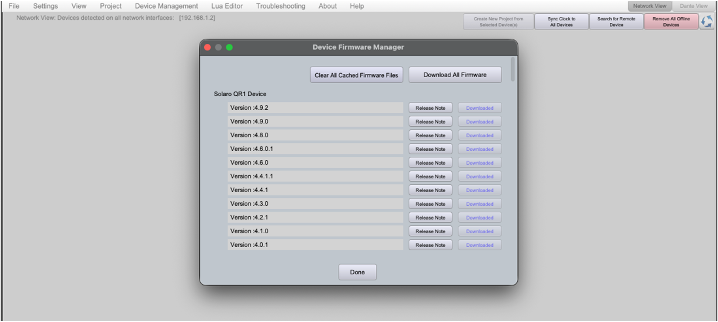
A pop-up window will appear, click Download All Firmware.
Wait a few minutes while the firmware package downloads.
Once completed, you’re ready to update your device.
The newest firmware ensures smoother operation, better stability, and full compatibility across your Xilica system.
Learn More
To dive deeper into device management, system tuning, and best-practice workflows, visit learn.xilica.com and take the official Xilica Certification Course.
It’s the fastest way to become fully confident with Xilica Designer and the entire Xilica Solutions.