
GPIO, On/Off Mute Switch
Edited
This guide explains how to connect a physical on/off switch to a Solaro DSP and use it to mute or unmute your audio system.
1. Hardware
Connect your on/off switch to a GPIO Input pin and GND on the GPIO Card.
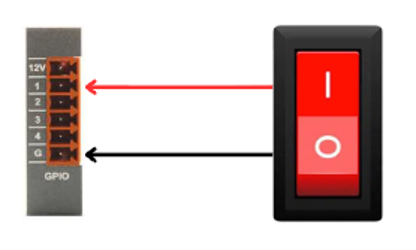
(Any simple latching or momentary switch can be used depending on your logic setup.)
2. Software
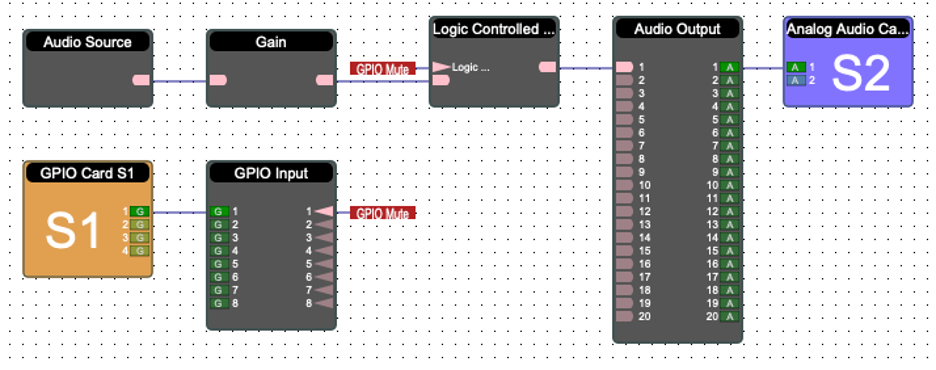
In your project, add the following modules:
Logic Controlled Mute
Then:
Wire the GPIO Card to the GPIO Input.
Wire the GPIO Input to the Logic Controlled Mute.
Route all audio through the Logic Controlled Mute before it enters the mixer or output stage.
3. Test
Flip the hardware switch:
ON = mute active
OFF = normal audio restored
Verify that all intended audio paths mute and unmute correctly.